Skip to content
The Home Assistant Blog

The Home Assistant Blog

Smart Home with Home Assistant

  • Home
  • Posts
    • Home Assistant Guides
    • Reviews
    • Storage Spaces
  • Privacy Policy
  • About
  • Contact
    • Home
    • Posts
      • Home Assistant Guides
      • Reviews
      • Storage Spaces
    • Privacy Policy
    • About
    • Contact
    The Home Assistant Blog

    The Home Assistant Blog

    Smart Home with Home Assistant

      TP-Link HS110 Review

      1. Home
      2. TP-Link HS110 Review

      TP-Link HS110 Review

      • February 2, 2024

      I use 2 of these every day. I will share my thoughts about the TP-link HS110 and the integration with Home Assistant.

      The TP-link HS110 is a standard wifi smart plug with energy measuring, there is a ton of different models to choose from, but the software in these, is what makes them better than most.
      I have owned these for several years, and initially used them with IFTTT. My use case for them have changed multiple times, and the smart home system is now Home Assistant.

      You should start by setting them up via the TP-link kasa app, it’s easy to do, and you will quickly have them connected to wifi. At this point we don’t need the kasa app anymore, because we can configure the remaining from other systems.

      I highly recommend that you login to your router, and give the HS110 a DHCP reserved IP address, so it will always be the same.
      Next step is to add the TP-Link Kasa Smart integration to Home Assistant.
      Go to Settings, Devices & Services, Add Integration, search for TP-Link Kasa, and Add it.

      Add a device, and enter either the IP address you just reserved, or enter the hostname of the HS110.
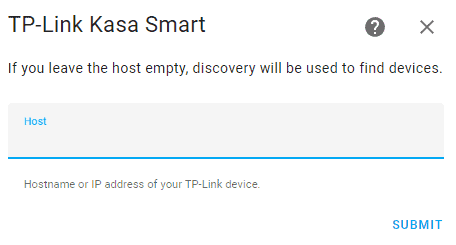
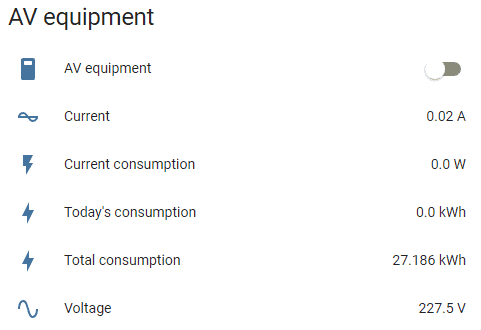
      The result will look like this.
      Total consumption only takes data from the period set in purge_keep_days in Home Assistant.
      Data will refresh every 5 seconds because this is a local connection.
      This also means you don’t rely on any cloud or app, and that Home Assistant and the HS110 are communicating directly.
      Conclusion:
      When the setup is done, this is a very stable solution! I use my Denon AVR to turn on and off a HS110 with some other AV equipment connected to, and I turn it on/off multiple times a day, and it never fails.
      The kasa app is fine, and does it’s job, but I never use it, because I rely on automations in Home Assistant instead.
      The wifi connection is stable, the data refreshes every 5 seconds, what’s not to like? The only negative that comes to mind, is that it’s a little bulky compared to others, but I use my 2 devices behind other equipment, so I never see them.

      This was made and tested on Home Assistant version 2024.1.5.
      Related Posts

      • November 17, 2025
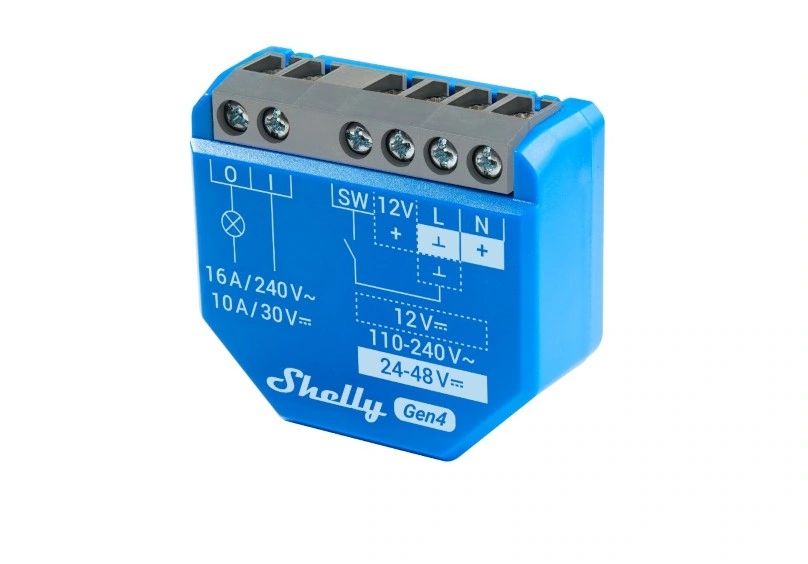
      Shelly 1 Gen4 Review

      I bought one of these to control my garage port. There are many improvements in Gen4, and I will cover some of them in this mini review.

      Continue reading
      • October 29, 2025
      Nous A8M Smart Socket Review

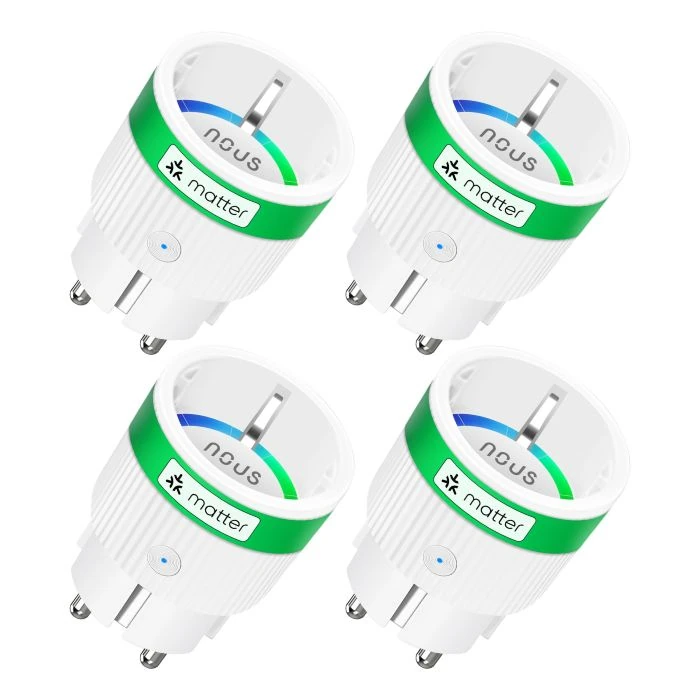
      Nous A8M is a smart socket using matter over WiFi for communication, I got a good deal on 4 of these, and thought it deserves a mini review.

      Continue reading

      Recent Posts

      • Shelly 1 Gen4 Review
      • Nous A8M Smart Socket Review
      • IKEA TRÅDFRI Driver Review
      • AirGradient ONE Review
      • MeatStick V Review
      • Storage Spaces 2025 Mirror-accelerated Parity and Storage Bus Cache
      • Storage Spaces parity in Server 2025
      • Storage Spaces – Current / Old Setup
      • Aqara Door and Window Sensor T1 Review
      • Monitoring Windows Server
      • Meta Quest 3 in Home Assistant
      • Adaprox Fingerbot Plus ZigBee Review
      • Broadlink RM4 mini Review
      • Heiman Air Quality Monitor Review
      • Humidity sensor for the bathroom
      • Meater Pro Review
      • Airthings View Plus Review
      • Nedis Air Quality Monitor Review
      • Shelly 1PM Mini Gen3 Review
      • TP-Link HS110 Review
      • Lightbee Switch Review
      • Meater 2 Plus in Home Assistant
      • Better presence detection in Home Assistant
      • Trigger automations in Home Assistant using your phones alarm
      • Check when automation was last run in Home Assistant
      • Play Bluesound presets from Home Assistant
      • Actionable Notifications in Home Assistant
      Copyright © 2026 The Home Assistant Blog
      Back to Top
      Disclaimer:I’m a member of the Amazon Associates Program
      I may earn a small commission if you purchase through the links on this site.